

How to Set Up Your Own VR Space at Home
Author
Gerald Ferreira
Date Published
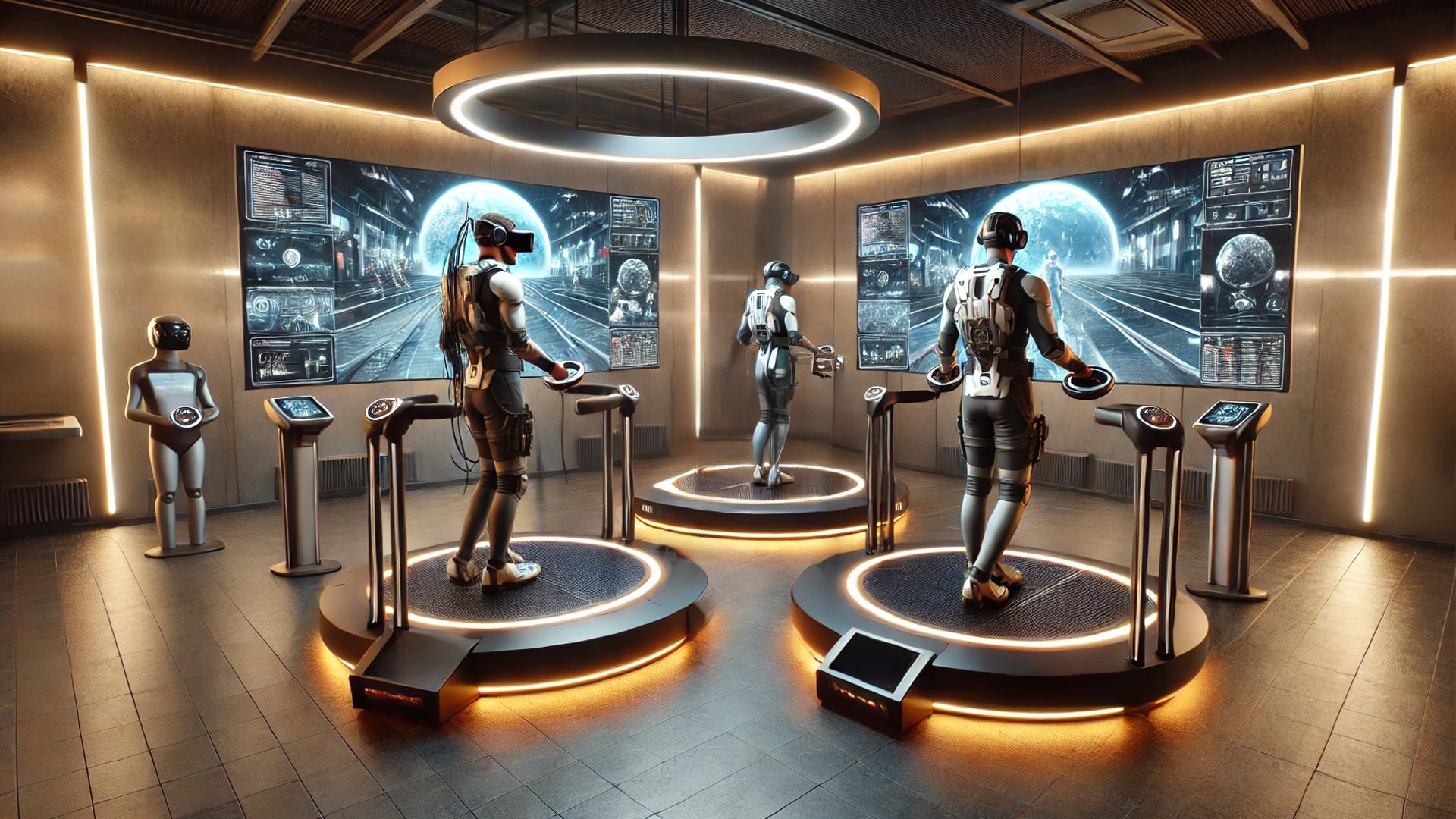
Embarking on the journey to create a personalized Virtual Reality (VR) space at home transforms your living environment into an immersive playground. Whether you're a gaming enthusiast, a creative professional, or simply curious about the possibilities of VR, setting up your own VR space can enhance your experiences and unlock new dimensions of interaction. This guide offers a comprehensive roadmap to establishing a VR setup that caters to your needs, ensuring both functionality and comfort.
Building the Foundation: Selecting the Right Hardware for Your VR Space
Choosing the Perfect VR Headset: Balancing Performance and Affordability
Selecting the ideal VR headset is the cornerstone of your home VR setup. Imagine stepping into a world where your living room morphs into a bustling cityscape or a serene underwater paradise. The gateway to these experiences is your VR headset. High-end options like the Valve Index or Oculus Rift S offer superior resolution and precise tracking, essential for reducing motion sickness and enhancing realism. These headsets are built for enthusiasts who crave the pinnacle of immersive experiences, offering features such as wide fields of view and high refresh rates that make virtual environments feel startlingly real.
On the other side of the spectrum, standalone headsets like the Oculus Quest 2 strike a balance between performance and affordability. These devices eliminate the need for a powerful PC, making VR more accessible to a broader audience. With robust hardware and a vast library of applications, the Quest 2 is perfect for hobbyists and newcomers alike. By assessing your budget and performance needs, you can select a headset that offers the best value without compromising on quality, ensuring that your entry into the VR world is both exciting and sustainable.
Essential Accessories: Enhancing Interaction and Immersion
Controllers are the primary tools for interacting within VR environments, making their quality and functionality paramount. Advanced controllers with haptic feedback and ergonomic designs allow for more natural and intuitive interactions within virtual spaces. These controllers translate your real-world movements into the virtual realm with remarkable precision, making every gesture and action feel lifelike. Imagine reaching out to grab a virtual object and feeling the subtle vibrations that mimic the sensation of touch, heightening the sense of presence.
Beyond controllers, accessories such as VR gloves and motion sensors can further deepen immersion. VR gloves provide tactile feedback, simulating the sensation of touch and enhancing the realism of interactions. Motion sensors placed strategically around your play area ensure that every movement is accurately tracked, reducing latency and improving responsiveness. Additionally, items like VR mats or boundary systems help define your play area, ensuring safety and preventing accidental collisions with physical objects. These accessories not only improve the functionality of your VR setup but also contribute to a more comfortable and enjoyable user experience, transforming your VR space into a dynamic and interactive environment.
Powering Your VR Setup: PC and Console Requirements
The performance of your VR setup is heavily dependent on the capabilities of your PC or console. High-end VR headsets demand robust hardware to deliver smooth and responsive experiences. A powerful graphics card, such as those from the NVIDIA GeForce RTX series, is essential for rendering detailed and high-frame-rate visuals. Coupled with a fast processor and ample RAM, these components ensure that your VR applications run seamlessly, providing a fluid and immersive experience. Think of your PC as the engine of a high-performance vehicle; the more powerful it is, the better it can handle the demanding tasks of VR rendering and processing.
For console-based VR systems like PlayStation VR, compatibility with your gaming console is paramount. Ensuring that your console meets the minimum specifications for the VR headset will provide optimal performance and prevent technical issues. Regularly updating your system’s software and drivers can also enhance performance and compatibility with new VR applications and games. Investing in a capable PC or maintaining an up-to-date console ensures that your VR setup remains powerful and reliable, capable of adapting to the evolving landscape of VR technology and delivering top-tier virtual experiences.
Storage Solutions: Managing VR Content Efficiently
As your VR library grows, so does the need for efficient storage solutions. VR games and applications can consume significant amounts of space, making it essential to have adequate storage to keep your content organized and accessible. Solid State Drives (SSDs) are highly recommended for their fast read and write speeds, which reduce loading times and enhance overall performance. Investing in a high-capacity SSD ensures that you have ample space for your expanding VR library without sacrificing speed.
Additionally, external storage options can provide flexibility and convenience. Portable SSDs or high-capacity external hard drives allow you to store less frequently used content, freeing up space on your primary drive. This approach not only optimizes your storage capacity but also makes it easier to manage and access your VR content. By implementing effective storage solutions, you can maintain an organized and efficient VR space that supports a diverse range of applications and experiences.

Designing Your VR Space: Space Planning and Setup for Optimal Performance
Room Dimensions and Layout: Maximizing Your Play Area
The physical layout of your room plays a significant role in your VR experience, as adequate space allows for free movement and reduces the risk of accidents. A minimum of 6.5 feet by 6.5 feet of clear space is recommended for most VR setups, providing ample room to move around without bumping into furniture or walls. This clear space not only enhances your ability to interact with virtual environments but also contributes to a more immersive and enjoyable experience. Imagine navigating through a virtual obstacle course without the constraints of a cramped room, allowing for a full range of motion that enhances both gameplay and physical activity.
Strategically positioning your VR hardware is crucial for optimal performance. Sensors or base stations should be placed to provide comprehensive coverage of your play area, ensuring accurate tracking of your movements. Avoid placing sensors in areas with direct sunlight or reflective surfaces, as these can interfere with tracking accuracy. Additionally, organizing your furniture to create a spacious and unobstructed play area allows for more dynamic and engaging interactions within your virtual space. A well-planned layout enhances both safety and the overall quality of your VR experience, making your home VR space a seamless extension of your physical environment.
Safety Measures: Preventing Accidents in Your VR Space
Safety is a paramount consideration when setting up your VR space, as the immersive nature of VR can sometimes lead to accidental collisions or falls. Implementing safety measures such as boundary systems, padding, and secure cable management can significantly reduce the risk of accidents. Boundary systems create virtual walls around your play area, alerting you when you approach the limits of your space and preventing unintended movements outside the designated area. This virtual barrier acts like an invisible fence, keeping you safe as you navigate through expansive virtual landscapes.
Floor padding or soft mats provide a cushion in case of accidental falls, minimizing the risk of injury. Additionally, cable management is critical to prevent tripping hazards. Utilizing cable organizers, clips, or wireless VR systems helps keep cables neatly bundled and out of the way, maintaining a tidy and organized play area. By prioritizing safety measures, you can enjoy your VR setup with peace of mind, knowing that potential hazards have been effectively mitigated. These precautions ensure that your VR space remains a safe and enjoyable environment, allowing you to fully immerse yourself in virtual adventures without concern.
Cable Management: Organizing Your VR Setup
Efficient cable management is essential for maintaining a clean and safe VR space. Tangled cables not only create a cluttered environment but also pose significant safety risks, such as tripping hazards and potential damage to your hardware. Implementing a systematic approach to cable management involves organizing and securing all cables to prevent tangling and ensure easy access when needed. Using cable ties, clips, and sleeves can help keep cables neatly bundled and out of the way, maintaining a tidy and organized play area. Think of it as tidying up a workspace; organized cables enhance both the aesthetics and functionality of your VR setup.
In addition to securing cables, consider the placement of your VR hardware to optimize cable length and minimize slack. Positioning your sensors or base stations strategically can reduce the need for long cables, making it easier to manage and conceal them within your space. Wireless VR systems are also an option for those who prefer a completely cable-free setup, offering greater flexibility and freedom of movement. By prioritizing cable management, you can enhance both the safety and aesthetics of your VR space, creating a more enjoyable and immersive environment. Organized cables not only prevent accidents but also extend the lifespan of your hardware by reducing wear and tear caused by tangled and strained cables.

Enhancing Your VR Experience: Optimizing Your Setup for Maximum Immersion
Lighting and Environment: Creating the Perfect Ambiance
Proper lighting plays a crucial role in enhancing the VR experience, as it affects both the performance of your VR hardware and the overall ambiance of your space. Adequate lighting ensures that sensors and cameras can accurately track your movements, reducing the likelihood of tracking errors or disconnections. Avoiding direct sunlight and minimizing glare can prevent interference with tracking systems, ensuring a smooth and uninterrupted VR experience. Think of it as setting the stage for a play; the right lighting enhances the performance, making every detail visible and every movement precise.
The physical environment also contributes to the overall immersion of your VR space. Decorating your room with elements that complement your VR activities can enhance the sense of presence within virtual worlds. For example, a gaming-themed room with posters and memorabilia can amplify the excitement of gaming sessions, while a minimalist setup with clean lines and neutral colors can create a serene atmosphere for meditation or relaxation apps. By thoughtfully designing your environment, you can create a space that not only supports your VR activities but also enhances the overall immersive experience. The ambiance of your VR space should reflect the type of experiences you seek, whether it's high-octane gaming, creative exploration, or tranquil relaxation.
Sound Setup: Immersive Audio for Enhanced Realism
Sound is a critical component of the VR experience, contributing significantly to the sense of immersion and realism. High-quality audio setups, including surround sound systems or virtual spatial audio, can create more lifelike and engaging environments. Spatial audio technologies simulate the direction and distance of sounds, making virtual environments feel more authentic and responsive to your movements. Investing in a good pair of headphones or a dedicated sound system can greatly enhance the auditory aspect of your VR experience, making interactions within virtual worlds more convincing and immersive. Imagine hearing the subtle rustle of leaves in a virtual forest or the distant roar of engines in a racing game, adding layers of realism to your virtual adventures.
Additionally, customizing your sound settings can further optimize your VR setup. Adjusting audio levels, enhancing specific frequencies, and using noise-canceling features can tailor the sound environment to your preferences and the specific requirements of different VR applications. For example, gaming may benefit from enhanced directional sounds to improve situational awareness, while meditation apps may require soothing ambient sounds to promote relaxation. By fine-tuning your sound setup, you can create an auditory environment that complements and enhances your virtual experiences. The right sound setup not only enriches your VR interactions but also makes your virtual environment feel more alive and responsive to your presence.
Software and Games: Curating Your VR Content Library
The software and games you choose to engage with play a pivotal role in shaping your VR experience. Curating a diverse and high-quality content library ensures that you have access to a wide range of experiences, from immersive games and interactive simulations to educational applications and creative tools. Exploring different genres and types of content can help you discover new ways to interact with VR, keeping your setup fresh and exciting. Think of your VR content library as a vast library of books, each offering a unique story or knowledge that enriches your virtual journey.
Regularly updating your software and games also ensures that you benefit from the latest features and improvements, maintaining the performance and functionality of your VR system. Additionally, customizing your software settings can optimize your VR experience for different activities. Adjusting graphical settings, frame rates, and control configurations can enhance performance and tailor the experience to your preferences and hardware capabilities. For instance, increasing graphical fidelity may provide a more visually stunning experience for gaming, while optimizing settings for smooth performance can reduce motion sickness and improve comfort during extended sessions. By carefully selecting and configuring your software and games, you can maximize the potential of your VR setup and enjoy a rich and varied virtual experience.
User Interface and Navigation: Seamless Interactions in VR
Navigating virtual environments seamlessly is crucial for an immersive experience, and both the Quest Pro and Quest 3s excel in intuitive user interfaces. The Quest Pro offers advanced customization options and a more complex interface, catering to power users who seek extensive control over their VR settings. The Quest 3s, on the other hand, emphasizes simplicity and ease of navigation, making it accessible to beginners and casual users. The Quest 3s introduces streamlined menus and enhanced gesture controls, reducing the learning curve and enhancing user satisfaction.
Meanwhile, the Quest Pro's sophisticated interface allows for deeper interaction and customization, which can be particularly beneficial for professional applications requiring specific settings and configurations. The ability to personalize the interface to suit individual preferences enhances the overall user experience, making the Quest 3s accessible and enjoyable for a diverse range of users. This balance between advanced features and user-friendly design ensures that both newcomers and seasoned VR enthusiasts can navigate their virtual spaces with ease and efficiency.

Budgeting Your VR Setup: Cost Considerations and Value Optimization
Initial Investment: Balancing Quality and Affordability
The initial investment for setting up a VR space can vary widely based on the quality and specifications of the hardware you choose. High-end VR headsets and powerful PCs can be expensive, but they offer superior performance and a more immersive experience. On the other hand, more affordable options like the Oculus Quest 2 provide excellent value with their standalone capabilities and compatibility with a range of VR applications. Balancing quality and affordability involves assessing your priorities and determining which features are most important for your VR activities. It's similar to choosing between a luxury sports car and a reliable commuter vehicle; both have their merits depending on your needs and budget.
To optimize your budget, consider starting with essential components and gradually expanding your setup as needed. For example, you might begin with a mid-range VR headset and a capable PC, then add accessories like additional controllers, specialized sensors, or enhanced audio equipment over time. This phased approach allows you to manage costs while building a VR space that meets your evolving needs and preferences. Additionally, keeping an eye out for discounts, bundles, and second-hand options can help you acquire high-quality hardware at a reduced cost, maximizing the value of your initial investment. By strategically planning your purchases, you can create a high-quality VR setup without overextending your finances.
Maintenance and Upgrades: Ensuring Longevity and Performance
Maintaining your VR setup is essential for ensuring longevity and sustained performance. Regular cleaning of your headset and controllers, updating software and firmware, and inspecting cables and connections can prevent wear and tear and address potential issues before they escalate. Proper maintenance not only extends the life of your hardware but also ensures that your VR experiences remain smooth and enjoyable. Think of it as routine maintenance for a vehicle; regular check-ups keep everything running efficiently and prevent costly repairs down the line.
Upgrades are another important aspect of budgeting for your VR space. As VR technology continues to advance, upgrading components such as graphics cards, processors, or adding new accessories can enhance your setup and keep it up to date with the latest innovations. Planning for future upgrades allows you to adapt your VR space to emerging technologies and new content, ensuring that your setup remains relevant and capable of delivering high-quality experiences. Allocating a portion of your budget for ongoing maintenance and upgrades ensures that your VR space continues to meet your needs and provides optimal performance over time. This proactive approach to maintenance and upgrades safeguards your investment and keeps your VR experience at the cutting edge.
Cost-Saving Tips: Maximizing Value Without Compromising Quality
Creating a VR space on a budget is achievable with strategic planning and smart purchasing decisions. One effective cost-saving tip is to prioritize essential components and avoid unnecessary extras during the initial setup. Focus on acquiring a reliable headset and a capable PC, then expand your setup with additional accessories as needed. This approach allows you to manage costs while ensuring that you have the foundational elements necessary for a high-quality VR experience. It's akin to building a house; starting with a solid foundation ensures stability, while additional rooms and features can be added over time as needed.
Another way to save costs is to take advantage of sales, discounts, and bundle deals offered by retailers and manufacturers. Purchasing hardware during promotional periods or as part of a bundle can significantly reduce the overall cost of your VR setup. Additionally, exploring second-hand or refurbished options can provide access to high-quality equipment at a fraction of the price. Finally, joining online communities and forums can offer valuable insights and recommendations for affordable hardware and cost-effective setup strategies, helping you make informed decisions and maximize the value of your investment. By implementing these cost-saving strategies, you can build a robust VR space without compromising on quality, ensuring that your virtual adventures remain both exciting and financially sustainable.

Frequently Asked Questions
What are the essential components needed to set up a VR space at home?
To set up a VR space at home, you need a VR headset, controllers, a compatible PC or gaming console, and sufficient physical space. Additionally, accessories like VR sensors, audio equipment, and cable management tools can enhance your experience and ensure a safe and organized setup.
How much space do I need to create a VR space at home?
A minimum of 6.5 feet by 6.5 feet of clear space is recommended for most VR setups. This allows for free movement and reduces the risk of accidents. However, larger spaces can provide a more immersive experience and accommodate more complex VR activities.
Can I use a VR headset with my existing gaming console or PC?
Yes, many VR headsets are compatible with existing gaming consoles or PCs. It's important to check the specific compatibility requirements of your VR headset and ensure that your PC or console meets the necessary hardware specifications to support VR applications and games.
What are some budget-friendly options for setting up a VR space?
Budget-friendly options include standalone VR headsets like the Oculus Quest 2, which do not require a high-end PC or console. Additionally, looking for sales, bundles, or second-hand equipment can help reduce costs. Prioritizing essential components and gradually expanding your setup can also help manage expenses effectively.
How can I ensure safety in my VR space?
To ensure safety in your VR space, define clear boundaries, use padding or mats to cushion falls, manage cables to prevent tripping, and ensure adequate lighting for accurate tracking. Regularly inspecting and maintaining your hardware can also help prevent accidents and ensure a safe VR experience.
Tags: DIY Virtual Reality, VR Setup Guide, Home VR Space, Virtual Reality Hardware, VR Safety Tips
Meta Description: Learn how to create your own VR space at home with our comprehensive DIY guide. Discover hardware recommendations, space planning tips, and cost-saving strategies to maximize your virtual reality experience.